The deal
I left out everything that gets in the way of logging a set.
- 01 Subscription
- There isn't one. OneRM is free to download, so you can try it on your next workout.
- 02 Ads
- The app has no ads, and I never built a spot for them.
- 03 Account
- You don't sign up for anything. Open the app and start a workout.
- 04 Your data
- Your workouts are stored on your phone. A backup is a file you save wherever you like, and every set exports as CSV.
OneRM can send anonymous usage stats, but they're off unless you turn them on.
In the gym
Logging fits in the rest between sets.
-
01Logging a set
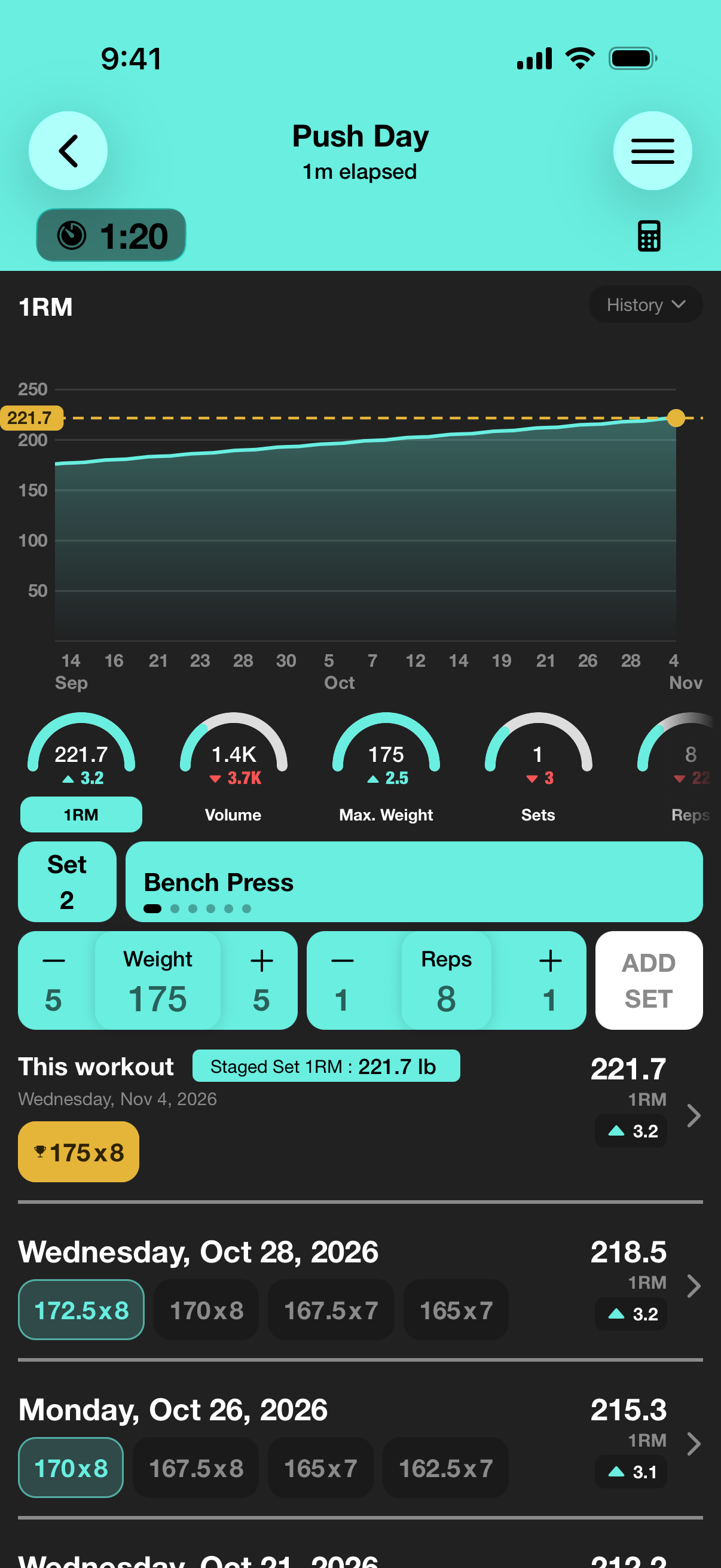
Set the weight and reps, then tap Add Set.
Tap + or − to move the weight 5 lb at a time on this screen, or tap the number and type it on the keypad when it's far off.
-
02Rest timer
The rest timer starts when you log the set.
It also runs as a Live Activity on the Lock Screen and in the Dynamic Island, so you can put the phone down and still see how long you have left.
-
03Plans and targets
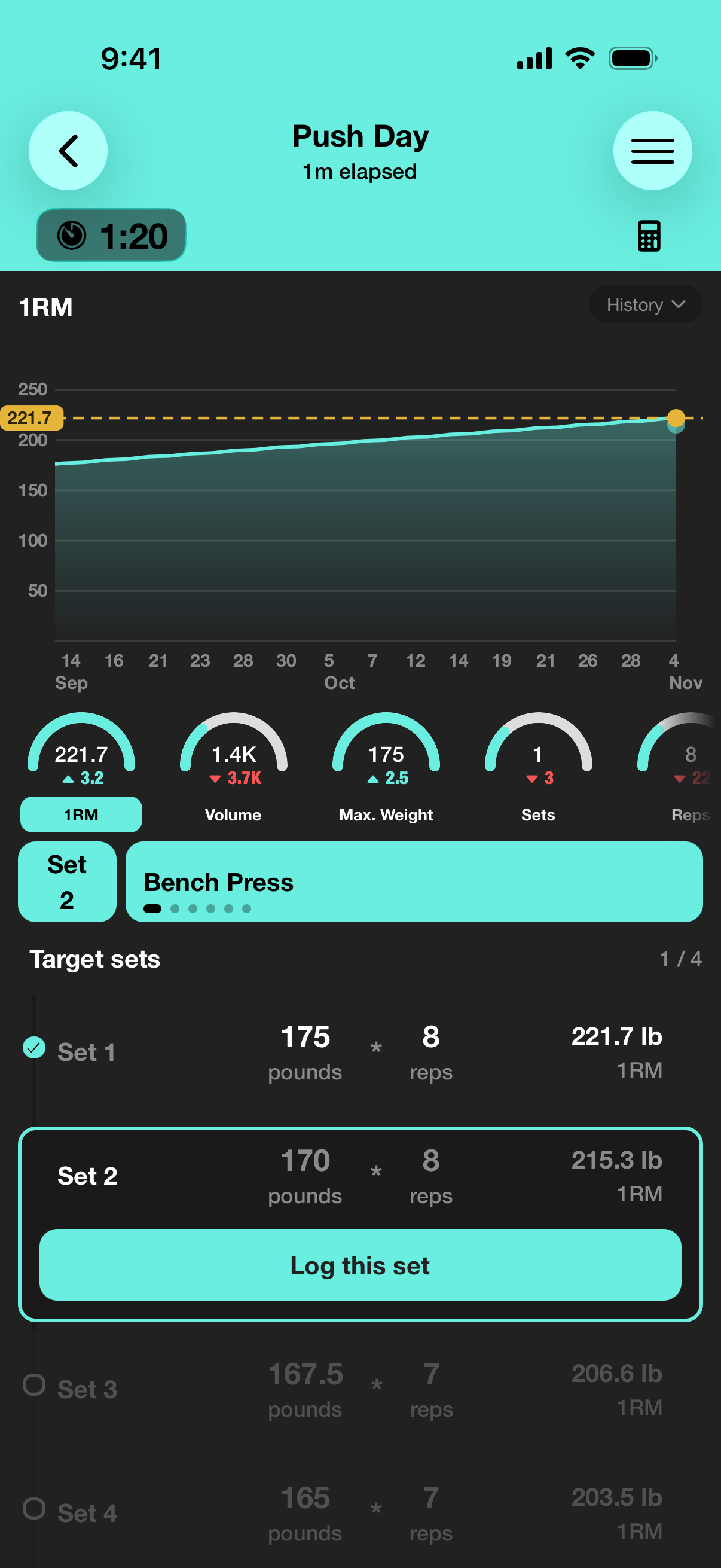
A plan gives every set a target.
Work down the checklist and log each set when it's done. A logged set gets ▲ when you beat its target and ▼ when you fall short.
-
04Next session
Your next targets come from your last session.
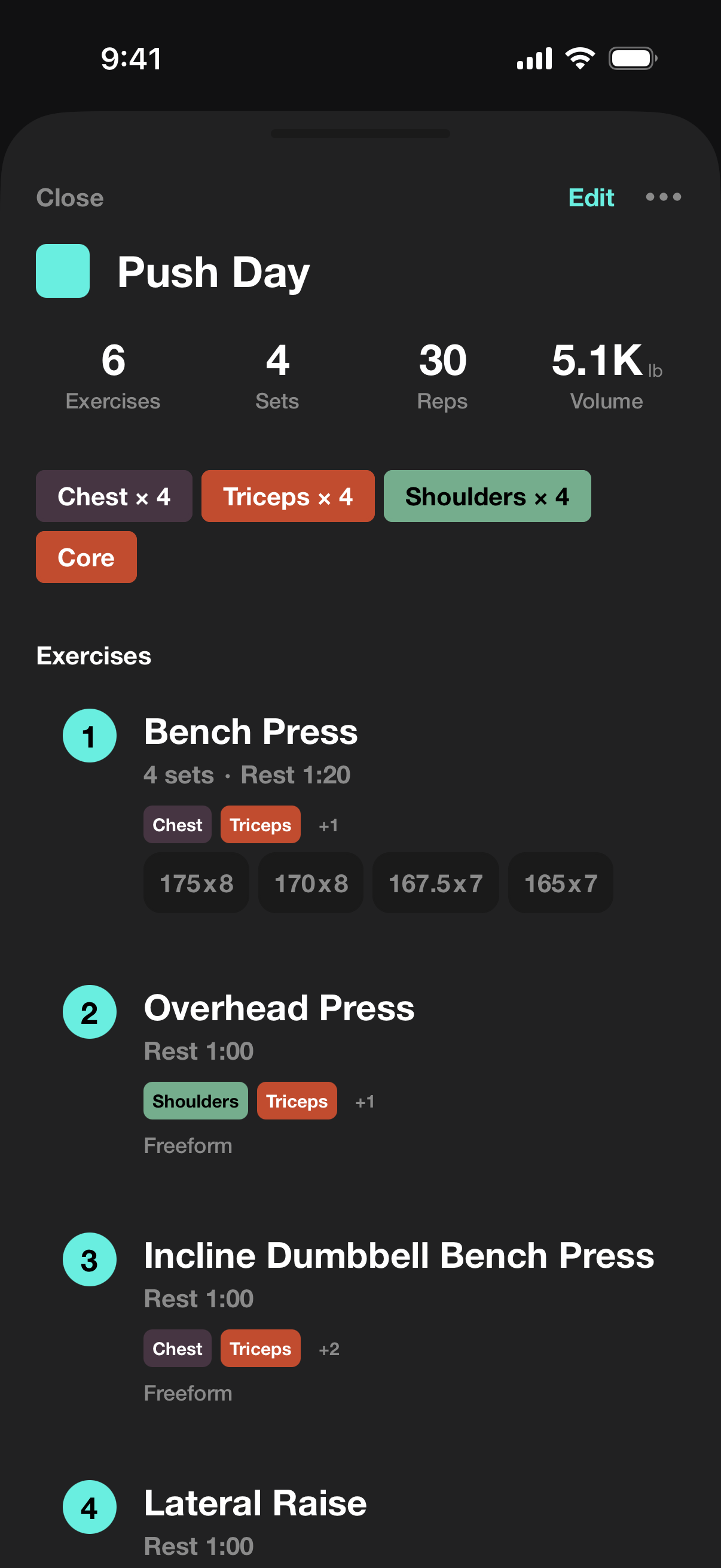
Copy what you did, or add a weight step on top of it. Before anything changes, a review sheet lists each target as old → new.
I drew the timer and this sheet for the page. The sheet uses the Bench Press targets from the Push Day screen with one 5 lb step added.
Progress
The logo is a chart for a reason.
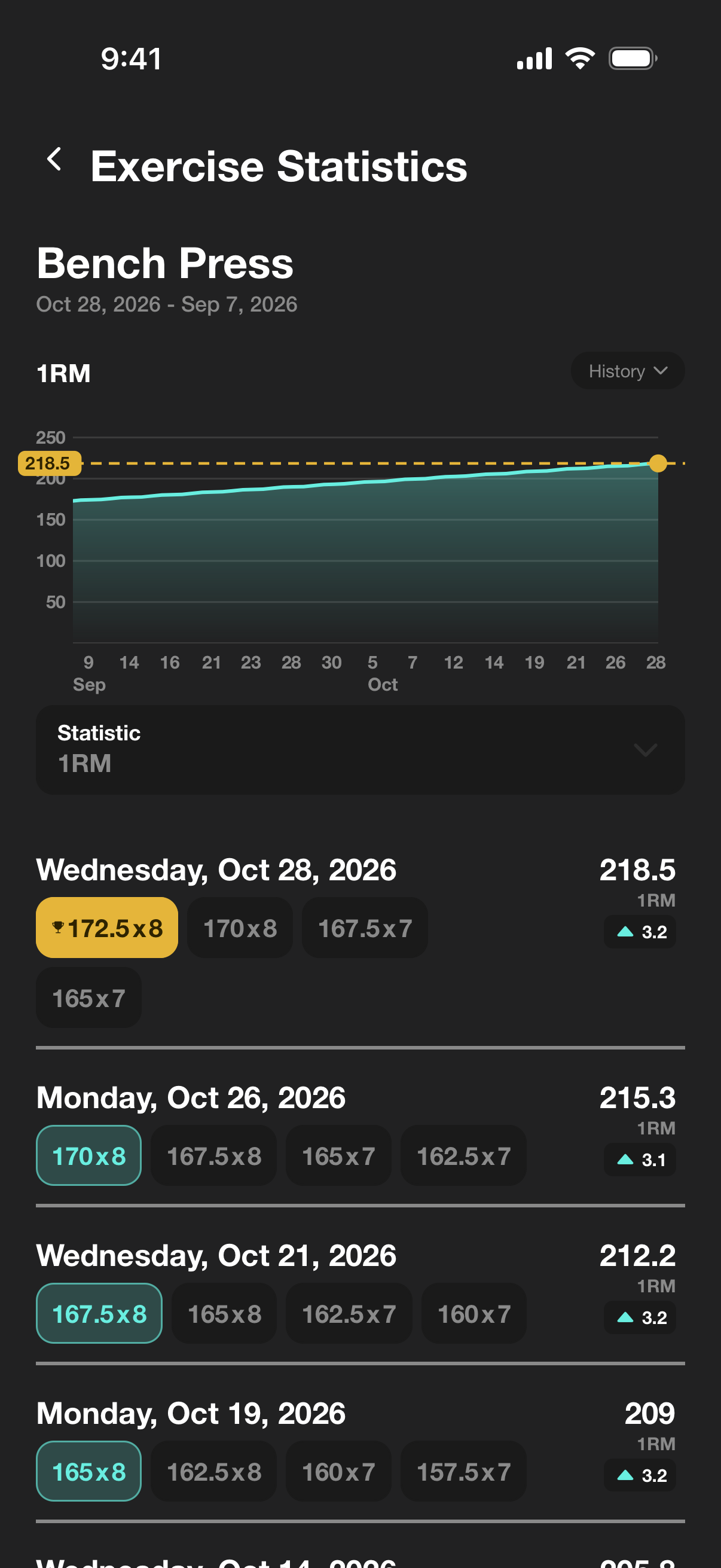
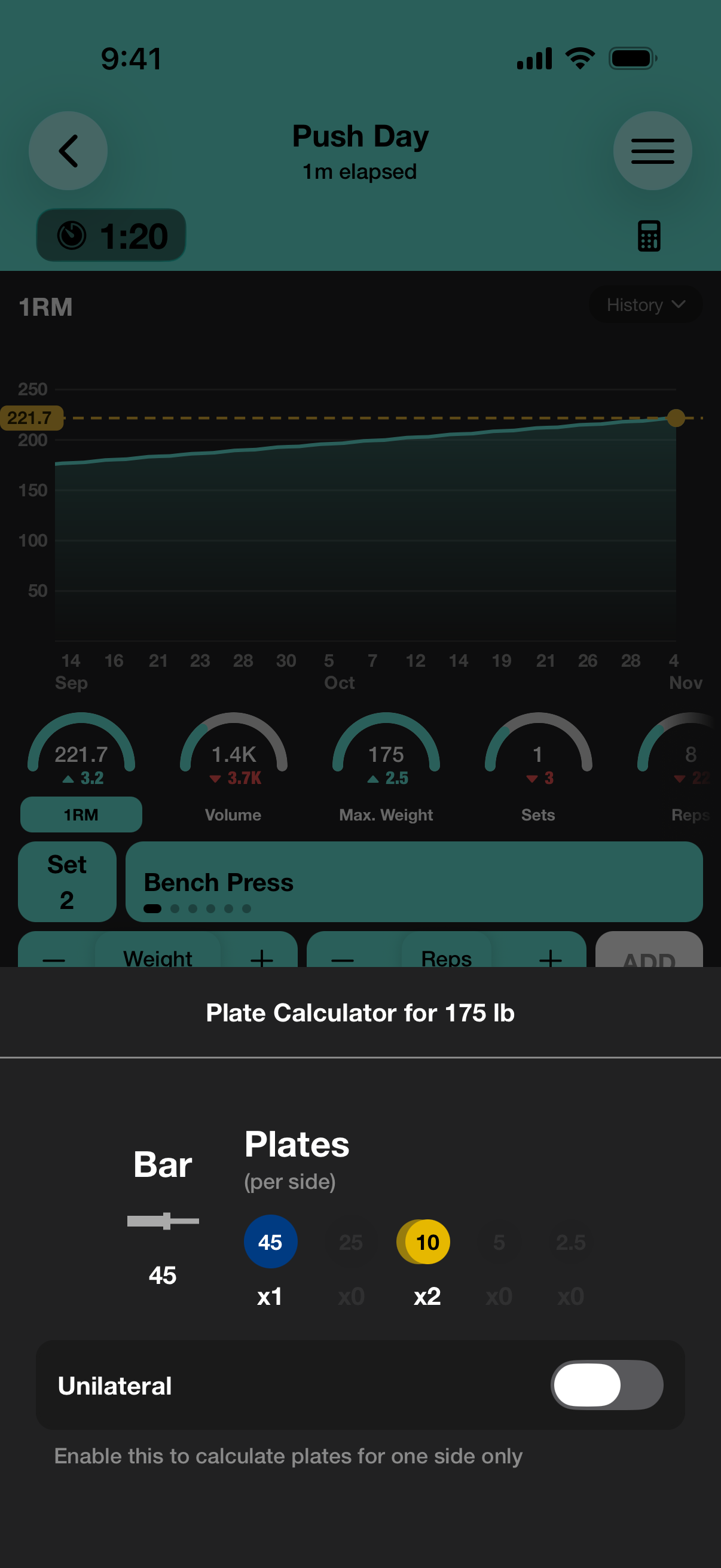
Every exercise gets charts over time for estimated 1RM, volume, max weight, reps and sets. All-time bests are marked in gold.
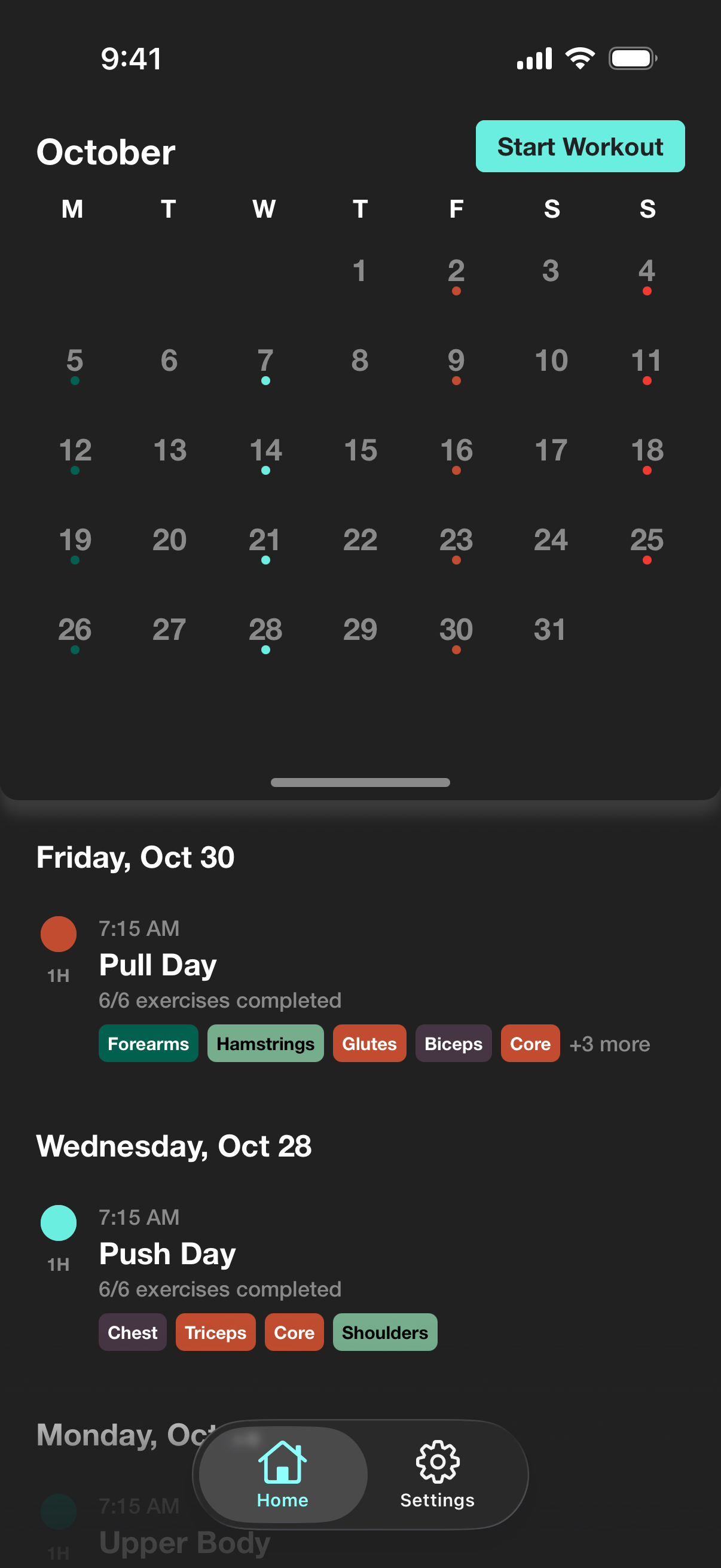
The calendar keeps every workout, color-coded, so a week you skipped is hard to miss.
The small things
The bits I'd miss if they weren't there.
- Plate calculator Give it a weight and it shows the plates for each side of the bar.
- Warm-up sets You can mark a set as a warm-up.
- Timed holds A plank logs time instead of reps.
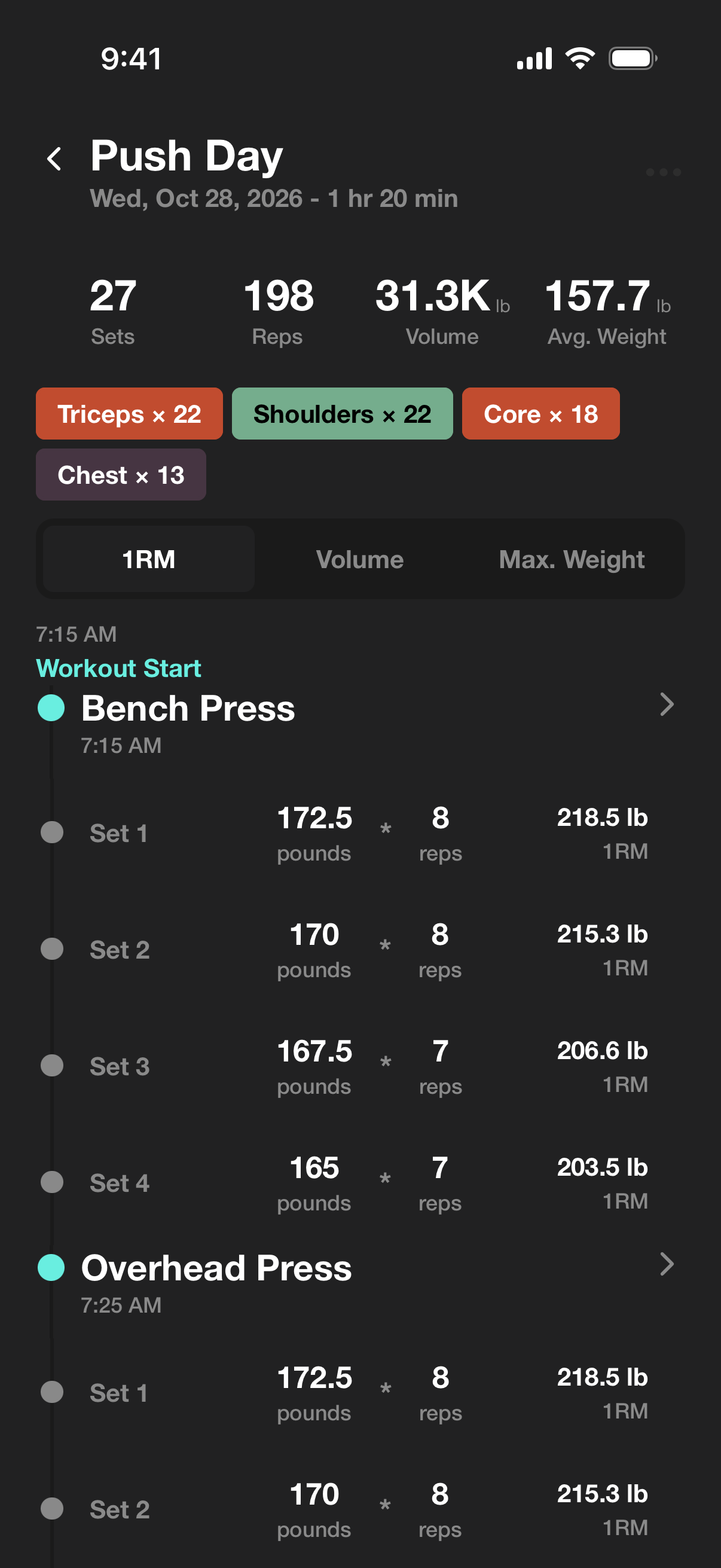
- Muscle groups Each workout shows which muscle groups it hit.
- Themes There are dark themes and light ones.
- lb or kg Use whichever your gym's plates are marked in.
- Apple Health OneRM works with Apple Health.
- Backups and CSV Every set exports as CSV, and a backup is one file you keep.
- English y español The app is in English and Spanish.
A note from me
I built OneRM because I was tired of subscription apps. I wanted a fast, clean way to log my lifts and see my progress, without clutter or ads in the way.
I log every one of my own workouts in it, so when something is slow or fussy, I'm the first one annoyed.
Juan Castillo
made OneRM